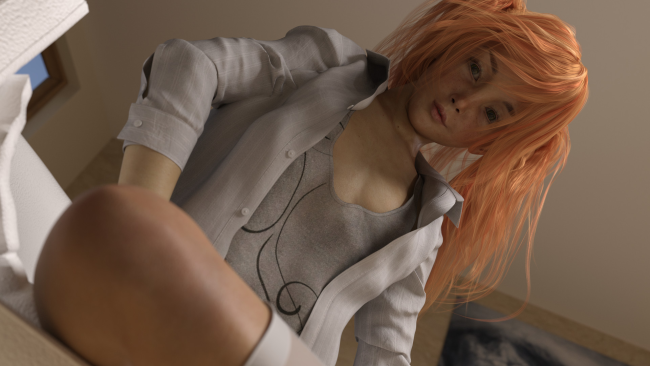
Download Bad Memories for FREE on PC. Learn how to download and install Bad Memories for free in this article and be sure to share this site with your friends.
Game Overview
Imagine having to face old fears and buried memories, would you face them to get a better (and really naughty) life? Let’s find out! This game is a story rich (adult) Visual Novel in which you either play as a hetero man or a lesbian woman who needs to get to grips with his or her past. Your decisions will influence the later parts of the game and can also change a few early scenes. Your childhood became a mess, when your mom died when you were still a child, at the same time your father started drinking and seeing women… differently. When he found a new girlfirend, things slowly began to get out of hand. But That Wasn’t the Only Thing That Changed. As a witness to that lifestyle, you too did stupid things like fighting with other kids. You had trouble in school and problems with the law more then once, though you never crossed “the line”. After your dad died, you hoped that things would change for the better, but instead they got worse, so you left your hometown and swore to never come back. As time went on, you’ve managed to build a somewhat normal life, and all the past memories that seemingly had started to fade became foggy at best. But will it stay that way?
- Story-Rich Visual Novel with elements of mystery, psychology, satire and a little bit of drama
- Play as male (hetero) or female (lesbian) hero!
- High quality images and animations
- Most animations have additional 3rd person view

How to Download & Install Bad Memories
1. Click the Download button below and you will be redirected to crolinks. Wait 5 seconds to generate the link and then proceed to UploadHaven.
2. Once you are on the UploadHaven page, wait 15 seconds, then click on the grey ‘free download’ button to start the download.
3. Once Bad Memories is done downloading, right click the .zip file and click on “Extract to Bad Memories” (To do this you must have WinRAR installed.)
4. Double click inside the Bad Memories folder and run the exe application as administrator.
5. Have fun and play! Make sure to run the game as administrator and if you get any missing dll errors, be sure to install everything located inside the _Redist or CommonRedist folder!
Bad Memories (v0.9 & Uncensored)
Size: 3.72 GB
Download speeds slow? Use Free Download Manager for faster speeds.
If you need any additional help, refer to our Troubleshoot section
YOU MUST HAVE DIRECTX INSTALLED TO AVOID DLL ERRORS.
IF YOU STILL HAVE DLL ERRORS, DOWNLOAD AND INSTALL THE ALL-IN-ONE VCREDIST PACKAGE
NOTICE: MAKE SURE TO HAVE YOUR ANTIVIRUS DISABLED, NOT DOING SO RESULTS INTO THE GAME YOU ARE INSTALLING TO CRASH AND NOT OPEN. ALL DOWNLOAD FILES ON THIS SITE ARE 100% CLEAN, REGARDLESS OF WHAT NORTON, AVG, MCAFEE, ETC… PICKS UP
System Requirements
- OS: Vista or later
- Processor: Dual Core or better
- Memory: 2 GB RAM
- Graphics: GTX 750 or better
- DirectX: Version 9.0
- Storage: 2 GB available space
- Additional Notes: OpenGL 2, DirectX 9 or OpenGL ES 2 required
Screenshots