Download Finish Report for FREE on PC. Learn how to download and install Finish Report for free in this article and be sure to share this site with your friends.
Game Overview
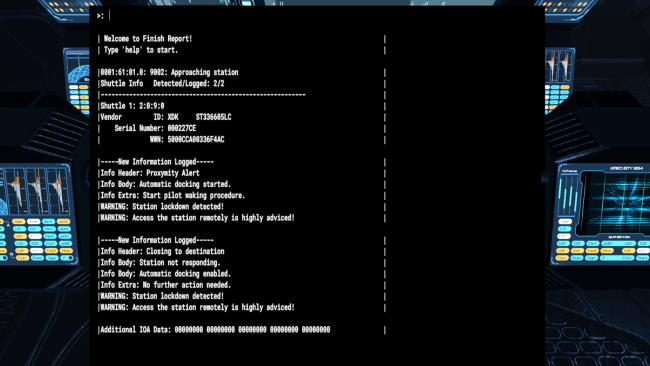
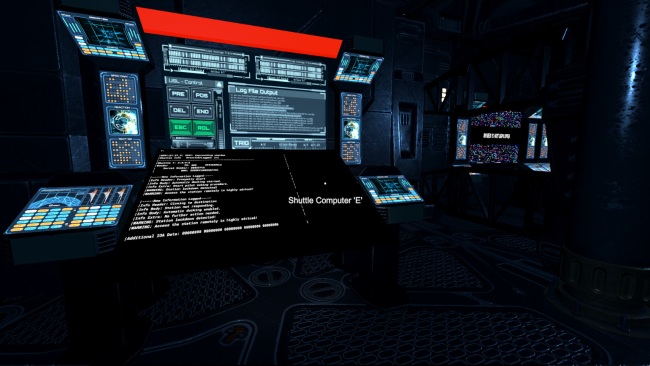
You as a one-man investigation unit has to find out why did one of our space station with approximately 300 people go silent. You will need to use your shuttle’s computer to carry out different tasks in order to solve the mystery. In addition to your computer, a remote controlled rover will help you to navigate through the corridors of the space station. You can use this rover as a “communication bridge” to download the station’s log files once you find a terminal there. Your report will grow with each read log file. You can finish your report at any time you wish, but would that be enough to find out what really happened there?
In the far future mankind has already reached the stars for a long time. They build space ships, cities on different planets, space stations far in deep space. And yet, there is no sign of other lifeform apart from our own. A space station far in deep space, right on the perimeter of known space goes silent. Days becoming weeks, weeks becoming months and there is still no answer from them. Long range sensors indicate that the station is still there and looks intact but it is hard to tell from this far. You, as a one-man investigation team have been selected to travel there in stasis and find out what happened to them. High Command demands a detailed report from you. Will you be able to carry out such an easy task?
FEATURES:
- Horror based around building dread and paranoia
- Minimalist gameplay
- Investigate the station with a remote controlled rover through a grainy video camera and a lot sharper still photo camera
- Use your rover as a communication bridge to be able to connect to the station’s terminals from your Shuttle’s computer. Download log files in order to grow your report
- A short experience intended to be finished in 1-2 hours
How to Download & Install Finish Report
1. Click the Download button below and you will be redirected to crolinks. Wait 5 seconds to generate the link and then proceed to UploadHaven.
2. Once you are on the UploadHaven page, wait 15 seconds, then click on the grey ‘free download’ button to start the download.
3. Once Finish Report is done downloading, right click the .zip file and click on “Extract to Finish Report” (To do this you must have WinRAR installed.)
4. Double click inside the Finish Report folder and run the exe application as administrator.
5. Have fun and play! Make sure to run the game as administrator and if you get any missing dll errors, be sure to install everything located inside the _Redist or CommonRedist folder!
Download speeds slow? Use Free Download Manager for faster speeds.
If you need any additional help, refer to our Troubleshoot section
YOU MUST HAVE DIRECTX INSTALLED TO AVOID DLL ERRORS.
IF YOU STILL HAVE DLL ERRORS, DOWNLOAD AND INSTALL THE ALL-IN-ONE VCREDIST PACKAGE
NOTICE: MAKE SURE TO HAVE YOUR ANTIVIRUS DISABLED, NOT DOING SO RESULTS INTO THE GAME YOU ARE INSTALLING TO CRASH AND NOT OPEN. ALL DOWNLOAD FILES ON THIS SITE ARE 100% CLEAN, REGARDLESS OF WHAT NORTON, AVG, MCAFEE, ETC… PICKS UP
System Requirements
- Requires a 64-bit processor and operating system
- OS: Windows 10 64bit
- Processor: Intel Core i5-4590 or AMD FX 8350
- Memory: 8 GB RAM
- Graphics: NVIDIA GTX 1050 / AMD Radeon equivalent
- Network: Broadband Internet connection
- Storage: 5 GB available space
Screenshots