Download Oneiro for FREE on PC. Learn how to download and install Oneiro for free in this article and be sure to share this site with your friends.
Game Overview
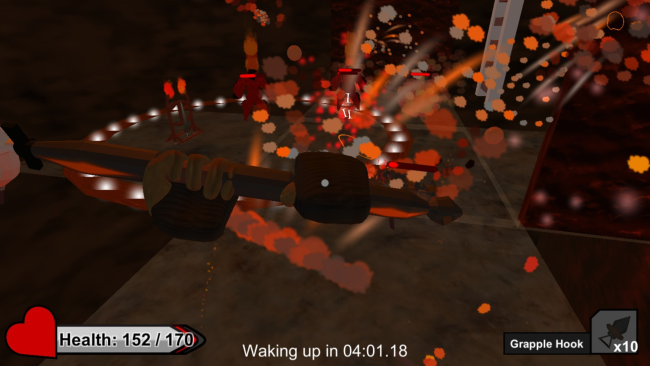
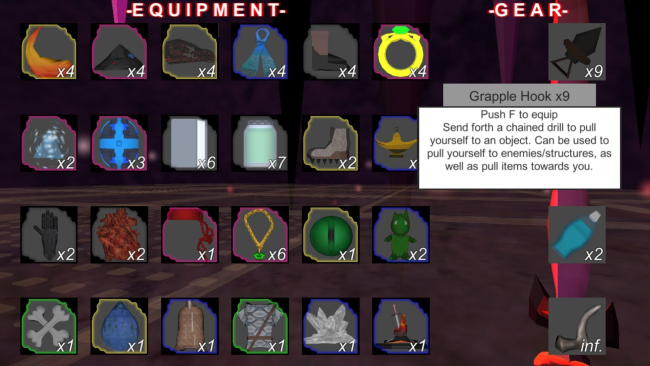
With your mind saturated with horrors from your caretaker, venture to the depths of your nightmares to overcome your fears. Lucid Dream the 4 Layers of your Labyrinth to reach the end. Each layer gets progressively more difficult and is meant to test your knowledge of the games mechanics. Collect/duplicate items, find powerful weapons, and use gear to conquer your Labyrinth. Fists, Swords, Karambits, Hammers, and Spears. Out of these, players will be able to find a weapon that suits them the most. Each of the weapons are unique in their own ways, and diverse enough to keep combat fresh and engaging. Oneiro allows your creativity to shine at any given moment, and nearly every object and mechanic have multiple purposes. You may want to go right up to an enemy to fight them; or perhaps you’ll want to use throwing knives to destroy a nearby wall and collapse the ceiling onto them; maybe you’ll break through the ceiling and attack them from above. Items are normally found through treasures, and they play a major role in Onerio by improving the players stats, or granting new abilities. All items can be stacked to multiply their effectiveness, as well. If the player wants to focus their duplications and have 10 midair jumps, or regenerate 20% of their life every 10 seconds, or even causing enemies to explode in a large radius upon death; nothing is stopping them from it.

How to Download & Install Oneiro
1. Click the Download button below and you will be redirected to crolinks. Wait 5 seconds to generate the link and then proceed to UploadHaven.
2. Once you are on the UploadHaven page, wait 15 seconds, then click on the grey ‘free download’ button to start the download.
3. Once Oneiro is done downloading, right click the .zip file and click on “Extract to Oneiro” (To do this you must have WinRAR installed.)
4. Double click inside the Oneiro folder and run the exe application as administrator.
5. Have fun and play! Make sure to run the game as administrator and if you get any missing dll errors, be sure to install everything located inside the _Redist or CommonRedist folder!
Oneiro (v1.3c)
Size: 191.53 MB
Download speeds slow? Use Free Download Manager for faster speeds.
If you need any additional help, refer to our Troubleshoot section
YOU MUST HAVE DIRECTX INSTALLED TO AVOID DLL ERRORS.
IF YOU STILL HAVE DLL ERRORS, DOWNLOAD AND INSTALL THE ALL-IN-ONE VCREDIST PACKAGE
NOTICE: MAKE SURE TO HAVE YOUR ANTIVIRUS DISABLED, NOT DOING SO RESULTS INTO THE GAME YOU ARE INSTALLING TO CRASH AND NOT OPEN. ALL DOWNLOAD FILES ON THIS SITE ARE 100% CLEAN, REGARDLESS OF WHAT NORTON, AVG, MCAFEE, ETC… PICKS UP
System Requirements
- OS: Windows 7
- Storage: 300 MB available space
Screenshots