Download Quriocity for FREE on PC. Learn how to download and install Quriocity for free in this article and be sure to share this site with your friends.
Game Overview
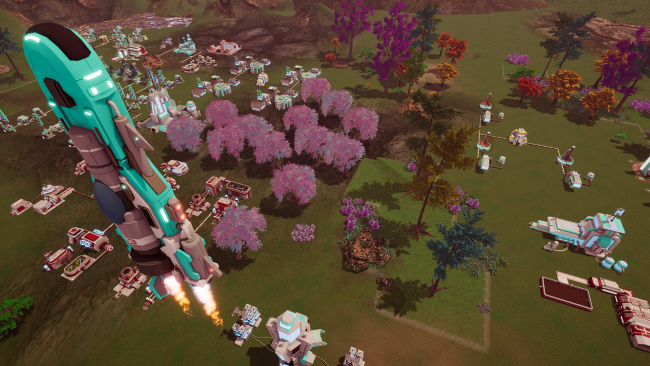
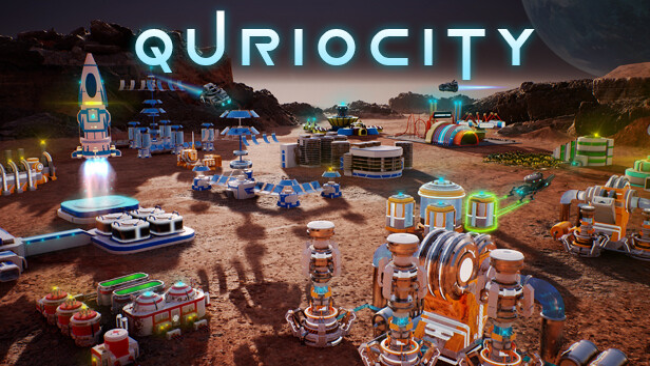
Humanity has developed faster-than-light travel technology and is now ready to create a multi-planet civilization. You are the leader of the Quriocity 1 mission, which is directed on an alien planet very similar to Earth to create the very first alien colony.
- Clusters, buildings and upgrades: Most of your units depend on a specific cluster-head building, which can serve as a storage or as a control hub. Keep this in mind when you add new structures, and put them in a smart way to optimize the available space. You can upgrade all your units to improve their efficiency, but only after upgrading the Principal Rover, which is the core of your colony.
- Sectors and regions: Explore the surrounding area to unlock new regions and expand your colony even more. Each region is divided into sectors, and each sector will provide different resources. Or maybe it will be a clean sector, useful to build schools, entertainment units and other structures required for the wellness of your colonists.
- A steady flow of colonists: Everyone is eager to join your colony, so be ready to welcome a steady flow of new people. Your mission is to ensure that they have a long, happy and productive life, so be sure to provide all they need: apartments, food, education, jobs, and much more. Accept the challenge and you will be rewarded with an ever-growing colony with thousands of people.
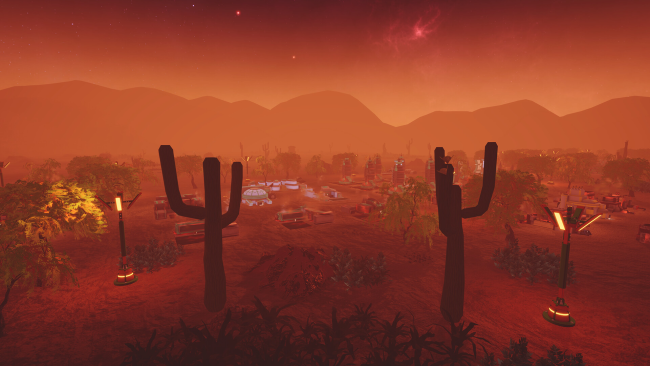
- 5 unique maps: Discover 5 beautiful maps, ranging from the arid desert to the freezing tundra. Each map is characterized by a unique environment and peculiar plants.
- Dynamic weather and disasters: The weather changes dynamically according to the map and to the season. But be careful, because dangerous disasters can take place on each map; if you don’t prepare to face them, they will deal massive damage to your colonies.
How to Download & Install Quriocity
1. Click the Download button below and you will be redirected to crolinks. Wait 5 seconds to generate the link and then proceed to UploadHaven.
2. Once you are on the UploadHaven page, wait 15 seconds, then click on the grey ‘free download’ button to start the download.
3. Once Quriocity is done downloading, right click the .zip file and click on “Extract to Quriocity” (To do this you must have WinRAR installed.)
4. Double click inside the Quriocity folder and run the exe application as administrator.
5. Have fun and play! Make sure to run the game as administrator and if you get any missing dll errors, be sure to install everything located inside the _Redist or CommonRedist folder!
Download speeds slow? Use Free Download Manager for faster speeds.
If you need any additional help, refer to our Troubleshoot section
YOU MUST HAVE DIRECTX INSTALLED TO AVOID DLL ERRORS.
IF YOU STILL HAVE DLL ERRORS, DOWNLOAD AND INSTALL THE ALL-IN-ONE VCREDIST PACKAGE
NOTICE: MAKE SURE TO HAVE YOUR ANTIVIRUS DISABLED, NOT DOING SO RESULTS INTO THE GAME YOU ARE INSTALLING TO CRASH AND NOT OPEN. ALL DOWNLOAD FILES ON THIS SITE ARE 100% CLEAN, REGARDLESS OF WHAT NORTON, AVG, MCAFEE, ETC… PICKS UP
System Requirements
- Requires a 64-bit processor and operating system
- OS: Windows 10 x64
- Processor: Intel Core i3 / Ryzen 3
- Memory: 6 GB RAM
- Graphics: Nvidia GeForce GTX760 | AMD Radeon 7950
- DirectX: Version 11
- Storage: 8 GB available space
- Additional Notes: SSD Recommended for faster loading
Screenshots