Download Rising Mist for FREE on PC. Learn how to download and install Rising Mist for free in this article and be sure to share this site with your friends.
Game Overview
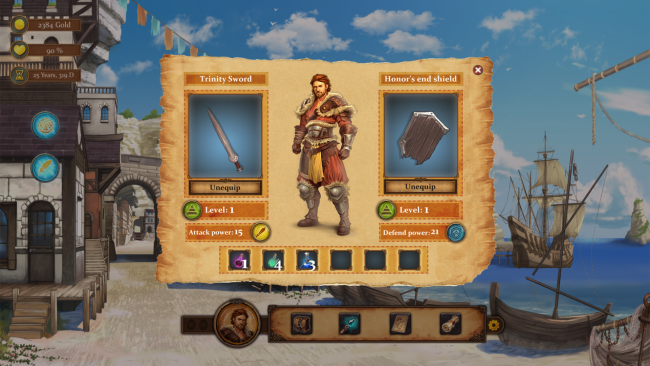
In this fantasy game, you play the role of a heroic rebel. You embark on a journey from city to city in which you search for your allies, gradually revealing the forgotten struggle of the last standing Eshugards and discovering the power of repressed magic that is only mastered by few.
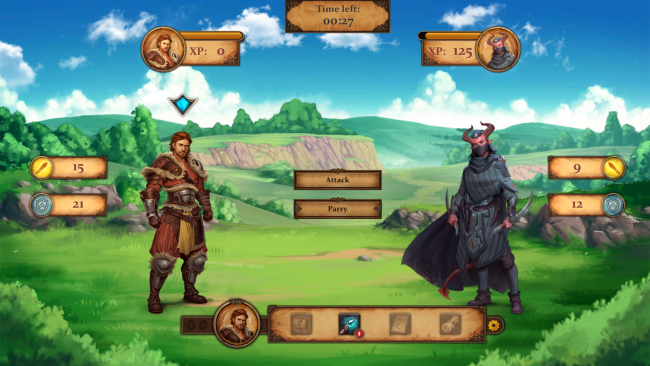
On your journey, you have to deal with gangs of bandits and evil magical creatures. Danger is also posed by intruders who try to infiltrate among the rebels. So choose your allies wisely!
Ensure faster progress in your mission and develop as many skills as possible to finance your trip. Resource management will be key to your progress. Master fishing, farming, cutting down trees, etc. or connect with other artisans and gain knowledge from brewing potions, making curing drops, and crafting magical amulets. Develop trading skills to secure a better status that can help you with allies who are hard of trusting.
Occoterra needs your help, are you ready to take on the challenge?
- 26 different Cities, Towns and places you can visit
- Multiple storyline endings
- Multiple difficulty levels
- Gorgeous hand-painted high-resolution sceneries and characters
- Discover legends, mythical creatures and dragons
- Restore peace in Occoterra and travel the whole land
- Resource management
- Find the Lost Legend of Occoterra
- Discover the secret of Eshudell
- Potion crafting, farming, herbalism, dragon slaying and much more needs to be done

How to Download & Install Rising Mist
1. Click the Download button below and you will be redirected to crolinks. Wait 5 seconds to generate the link and then proceed to UploadHaven.
2. Once you are on the UploadHaven page, wait 15 seconds, then click on the grey ‘free download’ button to start the download.
3. Once Rising Mist is done downloading, right click the .zip file and click on “Extract to Rising Mist” (To do this you must have WinRAR installed.)
4. Double click inside the Rising Mist folder and run the exe application as administrator.
5. Have fun and play! Make sure to run the game as administrator and if you get any missing dll errors, be sure to install everything located inside the _Redist or CommonRedist folder!
Rising Mist (v1.0.12.0)
Size: 476.23 MB
Download speeds slow? Use Free Download Manager for faster speeds.
If you need any additional help, refer to our Troubleshoot section
YOU MUST HAVE DIRECTX INSTALLED TO AVOID DLL ERRORS.
IF YOU STILL HAVE DLL ERRORS, DOWNLOAD AND INSTALL THE ALL-IN-ONE VCREDIST PACKAGE
NOTICE: MAKE SURE TO HAVE YOUR ANTIVIRUS DISABLED, NOT DOING SO RESULTS INTO THE GAME YOU ARE INSTALLING TO CRASH AND NOT OPEN. ALL DOWNLOAD FILES ON THIS SITE ARE 100% CLEAN, REGARDLESS OF WHAT NORTON, AVG, MCAFEE, ETC… PICKS UP
System Requirements
- OS *: Windows Vista or greater
- Processor: 2 GHz
- Memory: 2 GB RAM
- Graphics: 256 mb video memory, shader model 3.0+
- DirectX: Version 10
- Storage: 2 GB available space
Screenshots