Download Turbo Overkill for FREE on PC. Learn how to download and install Turbo Overkill for free in this article and be sure to share this site with your friends.
Game Overview
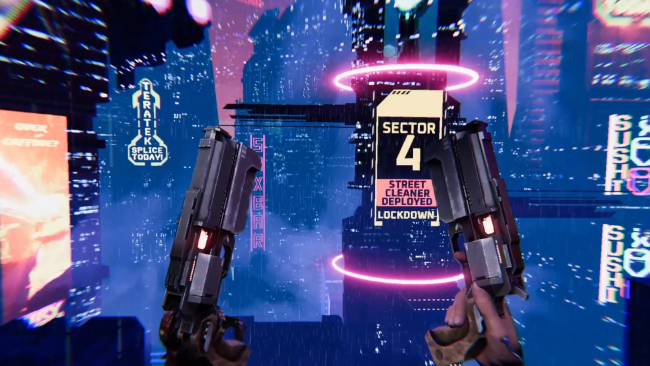
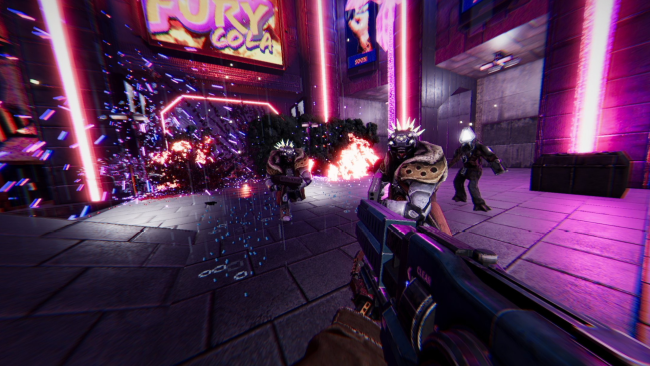
Heavily inspired by some of the all-time greats like Doom, Duke Nukem and Quake, with stunning cyberpunk visuals, Turbo Overkill is the most savage FPS ever released by Apogee. You play as half-metal, half-human, half-crazy Johnny Turbo, augmented with hidden arm rockets and a chainsaw that extends from your lower leg allowing you to kick-slice enemies wide open. In this Blade Runner-meets-DOOM hellscape, Johnny returns to his hometown of Paradise and finds its entire population possessed by Syn, a rogue AI, and its army of augmented minions. Desperate for enough money to outrun his past mistakes, Johnny takes on the impossible job of destroying the greatest AI ever created. Rival bounty hunters want to claim the prize first. Nothing is easy in paradise. Turbo Overkill takes over-the-top to never-before-reached heights. Activate Hero Time(™), a new form of slow motion with a twist. Build incredible speed by wall-running and dashing. Slide on your chainsaw leg, eviscerating foes and opening up bosses for critical damage, and go car-surfing on the hoods of flying cars. Blast away with the Twin Magnums, which lock-on and instagib several foes, the Boomer Shotgun and its attached grenade launcher, or the Telefragger sniper rifle, which teleports Johnny inside an enemy before they explode from within. The FPS genre is about to get wild and fun again. Race through two dozen stages packed with secrets, bonus arena stages, and white-knuckle combat puzzles. Find game-changing collectibles to unlock punishing modifiers like triple-monster-speed and insta-kill. Combine all of Johnny’s weapons and powers to outsmart, outgun and outrun the corrupted legions.
How to Download & Install Turbo Overkill
1. Click the Download button below and you will be redirected to crolinks. Wait 5 seconds to generate the link and then proceed to UploadHaven.
2. Once you are on the UploadHaven page, wait 15 seconds, then click on the grey ‘free download’ button to start the download.
3. Once Turbo Overkill is done downloading, right click the .zip file and click on “Extract to Turbo Overkill” (To do this you must have WinRAR installed.)
4. Double click inside the Turbo Overkill folder and run the exe application as administrator.
5. Have fun and play! Make sure to run the game as administrator and if you get any missing dll errors, be sure to install everything located inside the _Redist or CommonRedist folder!
Turbo Overkill (v1.35)
Size: 6.30 GB
Download speeds slow? Use Free Download Manager for faster speeds.
If you need any additional help, refer to our Troubleshoot section
YOU MUST HAVE DIRECTX INSTALLED TO AVOID DLL ERRORS.
IF YOU STILL HAVE DLL ERRORS, DOWNLOAD AND INSTALL THE ALL-IN-ONE VCREDIST PACKAGE
NOTICE: MAKE SURE TO HAVE YOUR ANTIVIRUS DISABLED, NOT DOING SO RESULTS INTO THE GAME YOU ARE INSTALLING TO CRASH AND NOT OPEN. ALL DOWNLOAD FILES ON THIS SITE ARE 100% CLEAN, REGARDLESS OF WHAT NORTON, AVG, MCAFEE, ETC… PICKS UP
System Requirements
- OS: Windows 7
- Processor: CPU with 2+ GHz, 4 cores
- Memory: 8 GB RAM
- Graphics: GeForce GTX 970 or R9 390X
- DirectX: Version 10
- Storage: 5 GB available space
- Additional Notes: Specs not finalized
Screenshots